Blog Post Feature Carousel - Setup Guide

Getting Started

After installing the Blog Post Feature Carousel, you can add it to any Page, Blog Post, or Blog Listing template in the HubSpot drag-and-drop editor.

  1. Open the page you want to edit in HubSpot
  2. Click the + Add button in the left sidebar
  3. Search for Blog Post Feature Carousel
  4. Drag the module into your desired section

Content Settings

Post Source

Choose how the carousel pulls posts:

  • Automatic (Latest Posts): Pulls your most recent posts from a selected blog. Optionally filter by tag to show only posts from a specific category.
  • Manual Selection: Hand-pick specific posts to feature in whatever order you want.

Number of Posts: Set how many total posts appear in the carousel (1-12).

Blog Selection: When using automatic mode, choose which HubSpot blog to pull from.

Tag Filter: Narrow automatic results to a specific tag (e.g., only show posts tagged "Coffee" or "Guides").

Display Settings

  • Show publish date: Toggle the date on or off beneath each card image.
  • Show author: Toggle the author name on or off.
  • Show excerpt: Display the post's meta description as a short summary on the card. Adjust the word count with the Excerpt Length field.
  • Show tag badge: Display the post's primary tag as a badge overlay on the featured image.
  • Read more button text: Customize the CTA label on each card (default: "Read More").

Carousel Settings

  • Auto-advance slides: Automatically scroll through posts on a timed interval. Pauses when a user hovers or focuses on the carousel.
  • Auto-advance interval: Set the time between slides in milliseconds (default: 5000ms / 5 seconds).
  • Show navigation arrows: Toggle the left/right arrow buttons.
  • Arrow size: Adjust the pixel size of navigation arrows.
  • Show dot indicators: Toggle the pagination dots below the carousel.
  • Infinite loop: When enabled, the carousel wraps from the last post back to the first continuously. When disabled, navigation stops at the last post.
  • Edge fade effect: Adds a subtle fade on the right edge of the carousel to hint that more content is available. Adjust the fade width with the slider.

Cards Per Row (Responsive)

Set the number of visible cards independently for each screen size:

  • Desktop: 1-4 cards
  • Tablet: 1-3 cards
  • Mobile: 1-2 cards

The carousel automatically adjusts when the browser resizes.

Style Tab

All visual styling is configurable from the Styles tab in the editor. No code required.

  • Card styles: Background color, border (color, width, radius), and box shadow
  • Typography: Title font size, excerpt color, meta text color
  • Button: Background color, text color, border radius, hover state
  • Tag badge: Background color, text color, border radius
  • Arrows: Color, size
  • Dot indicators: Active and inactive colors
  • Spacing: Card gap, section padding

Accessibility

The carousel includes built-in accessibility features:

  • Keyboard navigation with left/right arrow keys
  • ARIA labels on all interactive elements
  • Live region announcements for screen readers when slides change
  • Auto-advance pauses on focus
  • Respects the user's reduced motion preference

Troubleshooting

No posts appearing? Make sure your selected blog has published posts. If using tag filtering, confirm the tag name matches exactly.

No excerpt showing? The carousel pulls from the post's meta description. Make sure your blog posts have a meta description set under Settings > Metadata in the blog post editor.

Cards look different heights? Card heights equalize automatically. If featured images have very different aspect ratios, the image area will crop to maintain consistency.

Support

For questions or issues, please contact me in the live chat.

Video sessions

Over 20 years of in person training experience now available on demand for you and your team.

resource downloads

Get access to reporting templates and material developed across dozens of global organizations.

COACHING

Get access to one on one coaching for you or your team. Let me help you unpack the topics in this course and strategically apply them to your context.

Coffee
Daniel Norris

Home Barista Starter Guide

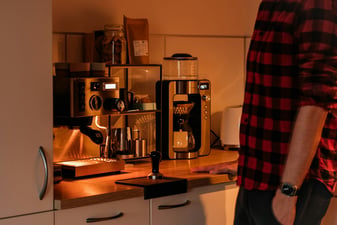
Your complete home barista starter guide. From the Gaggia Classic Pro to grinders and essential accessories, here is everything you need to pull real espresso at home.

Read More
Coffee
Daniel Norris

Best Fresh Brew Coffee Setup

Build the best fresh brew coffee setup with the right brewer, grinder, and accessories. Here is exactly what I use every morning in my home kitchen.

Read More